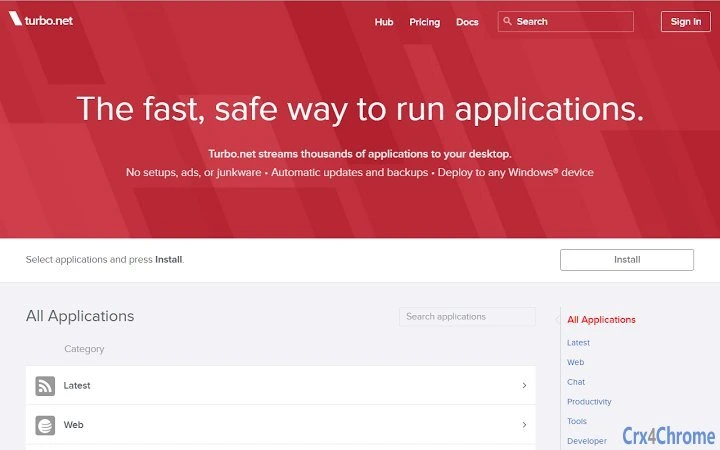

Run Apps Anywhere with Portable VMs
Overview
Turbo.net™ enables users to run desktop and server applications within portable virtual machines (VMs) that synchronize seamlessly across the web. Designed for professionals and power users, this tool bridges the gap between local software execution and cloud accessibility. By encapsulating applications in isolated VM environments, Turbo.net ensures consistent performance and configuration regardless of the device or operating system used. The platform supports both Windows and Mac, making it ideal for teams requiring cross-platform compatibility and remote collaboration.
Real-world use cases include developers testing applications across environments, IT administrators deploying standardized software setups, and remote workers accessing full desktop applications from any location. The software eliminates the need for complex installations or configuration drift, offering a streamlined experience for managing software across multiple machines. Its focus on portability and synchronization makes it particularly valuable for users who rely on consistent tooling across different workspaces.
The developer, Turbo.net, positions this software as a solution for modern, distributed workflows. While additional details about the company’s background were not provided, the product’s core functionality centers on secure, web-synchronized VMs. This approach supports secure software delivery without compromising on performance or user control. The tool is especially relevant in hybrid work environments where access to reliable, consistent applications is critical.
Key Features & Capabilities
- Portable Virtual Machines – Applications run inside isolated VMs that can be transferred between devices without reinstallation or configuration.
- Web-Based Synchronization – VMs and their associated applications automatically sync across all connected devices via the cloud.
- Cross-Platform Support – Compatible with both Windows and Mac, allowing consistent use across different operating systems.
- Application Isolation – Each app operates in a secure, sandboxed environment, reducing the risk of system conflicts or data leakage.
- Remote Access – Users can launch and interact with desktop applications from any internet-connected device, supporting flexible work arrangements.
These features enable users to maintain a consistent software environment regardless of their physical location. For example, a developer can start coding on a home PC, switch to a work laptop, and continue without reconfiguring tools. Similarly, IT teams can deploy standardized software images across departments, ensuring uniformity and compliance. The isolation of applications enhances security by preventing interference with the host system’s configuration.
User Interface, Workflow & Performance
The user interface of Turbo.net™ is designed around simplicity and efficiency. Navigation is structured to allow quick access to managed VMs, application libraries, and synchronization settings. Users can launch, manage, and monitor applications through a centralized dashboard, minimizing the need for technical expertise.
Workflow efficiency is enhanced by the automatic synchronization of VM states across devices. Once a VM is created or updated, changes are propagated to all linked devices without manual intervention. This reduces setup time and ensures users always have access to the latest version of their software environment.
The developer did not specify resource usage details. Performance observations are based on general software behavior patterns. Stability is expected to be high due to the use of virtualization technology, but exact behavior under load or during prolonged usage was not documented. CPU and RAM usage patterns are not publicly available, so users should monitor system performance during initial use.
Compatibility & System Requirements
Turbo.net™ is compatible with both Windows and Mac operating systems. The software requires a minimum installation size of 2.5 GB, indicating that it includes a substantial runtime environment and virtualization components. This size suggests the presence of multiple virtual machine images, application dependencies, and synchronization tools.
Exact system requirements were not listed. The developer did not provide information on minimum CPU, RAM, or storage specifications. Users should ensure their devices meet general standards for running virtualized applications, particularly if multiple VMs are used simultaneously. Platform compatibility information is limited to the two supported operating systems.
Pros and Cons
Pros
- Runs desktop and server applications in portable, synchronized VMs
- Supports seamless cross-platform use between Windows and Mac
- Enables remote access to full desktop applications from any device
- Application isolation improves security and system stability
- Free to use, with no licensing fees or subscription costs
Cons
- Exact system requirements were not provided
- Performance under heavy load or multi-VM usage is unverified
- Cloud synchronization may require consistent internet connectivity
- Initial setup may involve a learning curve for new users
- No public information on update frequency or release cadence
FAQ Section
Is Turbo.net compatible with Windows and Mac?
Yes, Turbo.net is designed to run on both Windows and Mac operating systems, enabling cross-platform application use.
Is the software free to use?
Yes, Turbo.net is available at no cost. There are no subscription fees or licensing charges associated with the software.
How does cloud synchronization work?
Applications and their VM environments are automatically synchronized across all devices linked to the same Turbo.net account via the web.
Does Turbo.net require an internet connection?
While the software can be used offline after initial setup, cloud synchronization and remote access require an active internet connection.
What kind of applications can be run?
Turbo.net supports desktop and server applications within portable virtual machines. The exact list of supported applications is not specified.
Final Thoughts
Turbo.net™ offers a compelling solution for users seeking to run desktop and server applications across devices with consistent performance and configuration. Its ability to encapsulate software in portable VMs and synchronize them via the cloud sets it apart in the productivity software space. The free pricing model further enhances its accessibility, especially for professionals and teams operating in distributed environments.
While some technical details remain unspecified, the core functionality is robust and well-suited for remote work, development, and IT deployment scenarios. The tool excels in providing portability, security through isolation, and seamless cross-platform operation. Users who value consistent software environments across multiple devices will find significant value in this platform.
Download Turbo.net now to experience secure, portable application execution across your devices.







